The Best AI Lesson Plan Generator for Teachers in 2026 (Compared)
Compare the top AI lesson plan generators for teachers in 2026. Side-by-side review of features, pricing, classroom fit, and output quality.
The AI lesson plan generator market has split into three distinct categories in 2026: chat-first assistants like ChatGPT, worksheet and resource generators, and dedicated lesson planning platforms. Each produces a different artefact and each serves a different workflow. This guide maps the three categories, compares what they actually produce, and gives you five questions to ask before subscribing. For a head-to-head between TAyumira and ChatGPT specifically, see TAyumira vs ChatGPT for lesson planning; for a head-to-head with MagicSchool, see TAyumira vs MagicSchool.
What an AI lesson plan generator should actually do
Before comparing tools, it helps to agree on what "good" looks like. A useful AI lesson plan generator in 2026 should:
- Produce a teachable artefact, not just text. A slide deck, a worksheet, or an interactive presenter — not a prose description of a lesson.
- Respect a named teaching method. Retrieval practice, explicit instruction, flipped classroom, cooperative learning — each has a specific structure. The tool should follow it, not generate generic "engagement activities."
- Generate assessments inline. Exit tickets, formative checks, and quiz questions that align with the lesson's learning objective.
- Let you edit without losing structure. You should be able to change one slide, one question, or one activity without the whole plan collapsing.
- Export to formats you already use. PowerPoint (.pptx), Word (.docx), PDF — the tools your school's shared drive already supports.
If a tool only gives you a block of text, it is closer to ChatGPT than to an actual lesson planning product.
The three categories of AI lesson plan tools in 2026
The field has split into three honest categories. Knowing which one a tool belongs to is more useful than any feature checklist.
1. General-purpose AI chatbots
ChatGPT, Claude, Gemini. These will happily generate a lesson plan from a prompt. Output is plain text, no assessments, no slides, no structure guarantees. You write the prompt, you own the clean-up. Free to cheap, maximum flexibility, zero pedagogical opinion.
Fit: teachers who already know exactly what they want and need a writing partner. Not recommended as a primary lesson planning tool if you have 30 lessons a week to build.
2. Worksheet and resource generators
A handful of EdTech tools generate quizzes, worksheets, and exit tickets from a topic. Useful as assessment add-ons. They usually do not generate the lesson itself — just the resources around it.
Fit: teachers who plan lessons manually but want faster resource generation.
3. Full lesson planning platforms
This is where dedicated tools like TAyumira sit. A full platform generates the lesson itself — slides, activities, assessments, and a presentable artefact — and follows a named pedagogical method end to end. Output is editable, exportable, and built to run a class.
Fit: teachers who want the whole lesson, not just a prompt to edit.
Feature comparison
Here is what a working AI lesson plan generator for teachers should offer, compared against the three categories:
| Feature | Chatbots (ChatGPT etc.) | Worksheet tools | Full platforms (TAyumira) |
|---|---|---|---|
| Full slide deck output | No (text only) | No | Yes (.pptx + interactive presenter) |
| Named pedagogical method | Prompt-dependent | Usually not | Yes — 10 evidence-based methods |
| Inline formative assessment | Prompt-dependent | Worksheet-only | Yes (quizzes, exit tickets, confusion flags) |
| Live classroom interactivity | No | No | Yes (student quizzes, anonymous questions) |
| Edit without breaking structure | Partial | N/A | Yes |
| PowerPoint / Word / PDF export | Copy-paste only | Worksheet export | All three |
| Real-time engagement analytics | No | No | Yes |
| Typical pricing | $0–$20/mo | $5–$15/mo | $0–$20/mo |
Picking the right AI lesson plan generator for your classroom
Five questions to ask before signing up to any tool:
- Does it output a usable artefact? If you still have to paste output into slides, you have not saved any time.
- Can it follow a method you actually teach by? Retrieval practice and explicit instruction have specific structures. If the tool generates the same shape regardless, it is guessing.
- Does it include the assessment inside the lesson? Building the exit ticket separately is the part most teachers cut under time pressure. A tool that bakes it in saves the most time where it matters.
- Can you run the lesson directly from it? Interactive presenters that handle quizzes, confusion flags, and anonymous questions save a second round of tool-switching.
- What happens when you need to edit one thing? Test this before you commit. A plan you cannot partially edit is a plan you have to regenerate from scratch every time the class changes.
Why TAyumira is built for teachers, not for prompt engineers
TAyumira is an AI lesson planner built specifically around the full-platform category above. It generates a complete lesson, not a prose description — slides, assessments, and a live presenter you can run the class from.
- Ten evidence-based teaching methods. Pick a method (retrieval practice, flipped classroom, cooperative learning, explicit instruction, inquiry-based learning, direct instruction, problem-based learning, project-based learning, mastery learning, or gamification) and the plan follows the method's actual structure.
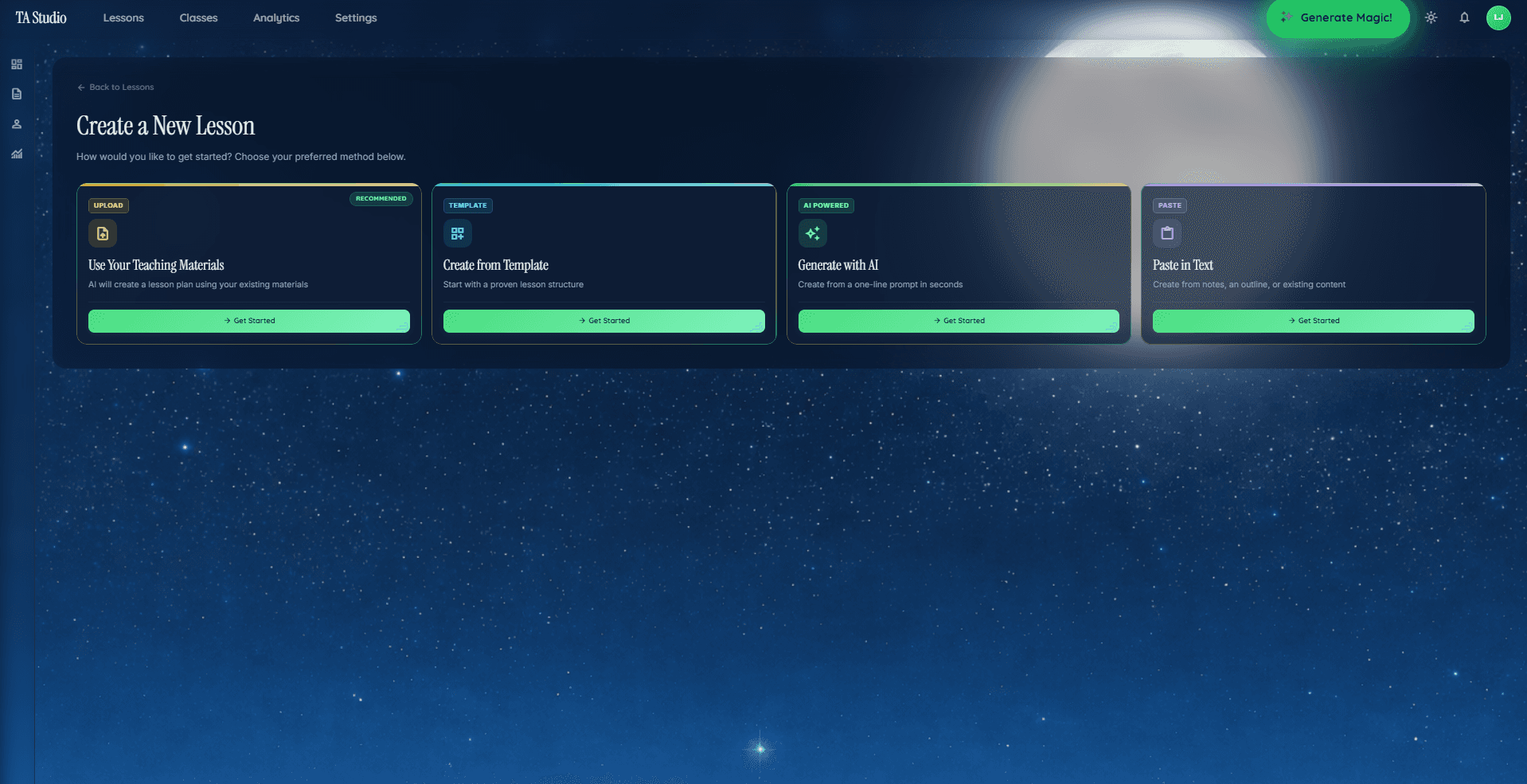
- Four creation paths. Generate from a topic, paste your own notes, upload a PDF, or start from a template. Most teachers pick one path and stick with it.
- Live classroom features. Student quizzes, confusion flags, anonymous questions, and real-time engagement analytics — no second tool needed to run the lesson.
- Edit without losing structure. Change a slide, swap an activity, rewrite a question — the plan stays coherent.
- Export everywhere. Interactive presenter for live teaching; .pptx, .docx, and PDF for the shared drive or cover teachers.
Pricing as of 2026: Free tier to try the full workflow; Starter at $8.99/month; Pro at $19.99/month for unlimited generations and advanced analytics; Schools on a custom plan. See the pricing page for the current details.
When an AI lesson plan generator is not the right tool
Two honest exceptions. If you are teaching a one-off unit where the content is highly specialised (graduate-level research seminars, deep clinical teaching), an AI-generated plan is a starting point at best. And if your school mandates a specific proprietary template, you will need a tool that supports a custom template import — worth checking before you subscribe.
FAQ
What is the best AI lesson plan generator for teachers in 2026?
The best choice depends on whether you want a writing partner or a full lesson. ChatGPT and similar chatbots work well for teachers who already have a clear prompt in mind. Full-platform tools like TAyumira generate the complete lesson — slides, assessments, and a live presenter — and follow a named pedagogical method, which saves the most time per lesson.
Can AI write a lesson plan as well as a teacher?
Not yet, and it should not try. A good AI lesson plan generator produces a first draft that reflects a proven teaching method and saves the structural work. The teacher still makes the judgement calls about the specific class, the specific students, and where to push harder. Tools that replace that judgement tend to disappoint in practice.
Is there a free AI lesson plan generator?
Yes. ChatGPT's free tier handles basic prompts. TAyumira has a Free tier that covers the full workflow with usage limits, so you can generate complete lessons and export them without paying. Paid tiers unlock unlimited generations and extra features like advanced analytics.
How long does it take to generate a lesson with AI?
With a chatbot, expect 10–20 minutes of prompting plus clean-up. With a full platform, expect 2–5 minutes from topic to presenter-ready deck. The gap is mostly the time spent re-formatting chatbot output into slides, worksheets, and assessments.
Does AI lesson planning work for primary and secondary teachers alike?
Yes. The main difference is the teaching method you choose, not the tool. Primary teachers lean more on cooperative learning, gamification, and explicit instruction; secondary teachers lean more on retrieval practice, flipped classroom, and inquiry-based learning. Any full-platform tool worth using supports both.
Bottom line
If you want a prompt engineer, use a chatbot. If you want a worksheet, use a worksheet generator. If you want the full lesson — with slides, assessments, live classroom interactivity, and a named method — use a full platform. Try TAyumira for free and see the difference on your next lesson.