TAyumira vs MagicSchool: Which AI Lesson Tool Fits Your Classroom?
TAyumira vs MagicSchool — a feature-by-feature comparison of two AI teaching platforms, with clear guidance on which classroom each one suits best.
TAyumira and MagicSchool are both AI tools aimed at teachers, but they are built with different priorities and for different workflows. This post compares them feature by feature, from the source material on each product's site, and gives you a clear answer on which fits your classroom.
All MagicSchool information below is drawn from magicschool.ai and is accurate as of 2026-04-20; any statistics attributed to MagicSchool are their own published claims, labelled inline. TAyumira information is drawn from tayumira.com on the same date.
The shape of each product
Both platforms are AI tools for teachers, but they are built around different central ideas.
MagicSchool
A broad toolkit of 80+ individual AI tools for teachers plus 50+ AI tools for students. Think of it as a big shelf of single-purpose tools — lesson plan generator, rubric generator, quiz maker, IEP generator, report-card-comments generator, and dozens more. Each tool produces one output type. Teachers pick the tool that matches the job.
TAyumira
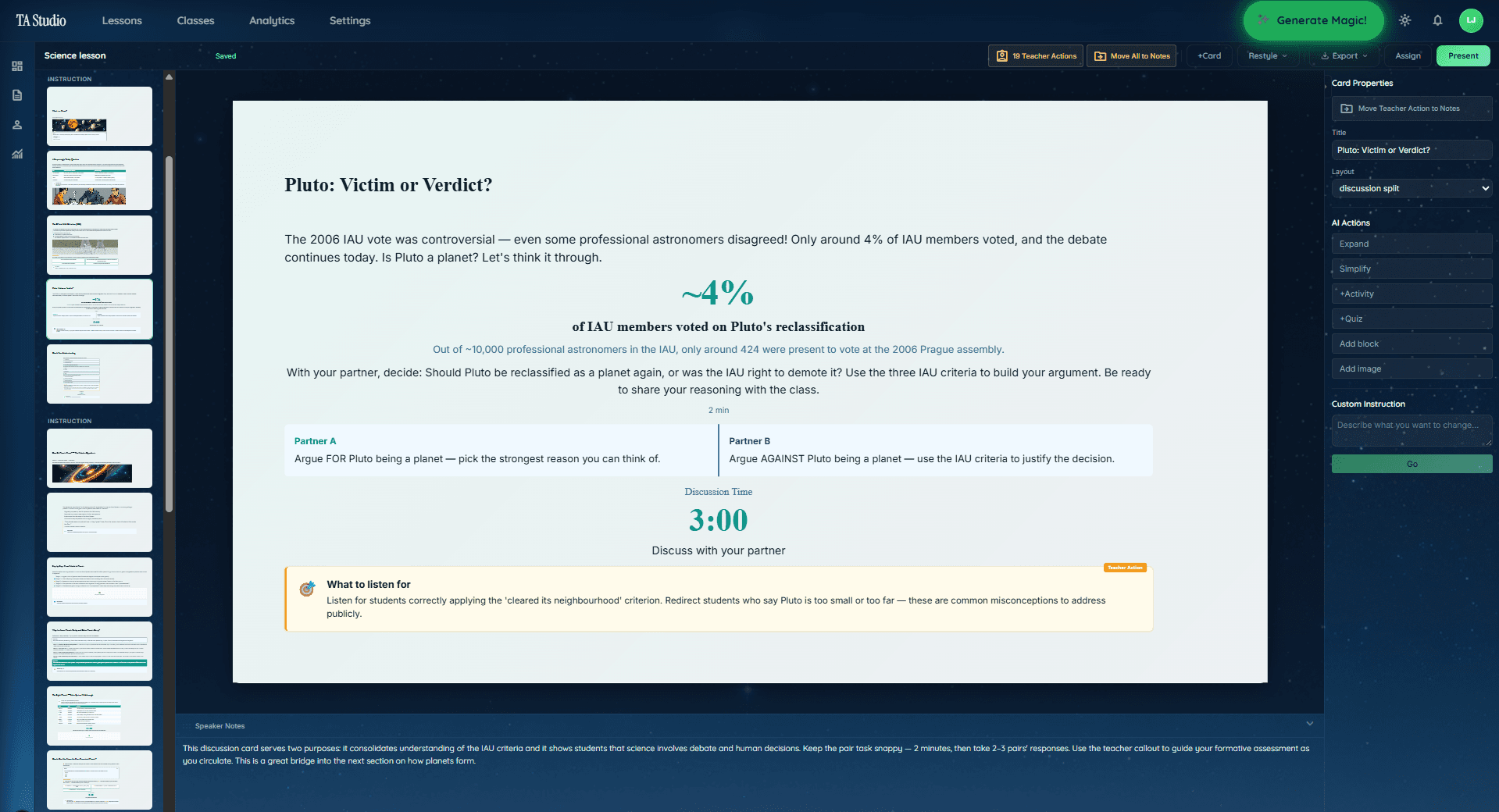
A dedicated AI lesson planner focused on one central workflow: go from topic to a complete, teachable lesson in a few minutes. A lesson here means the slide deck plus the assessment plus the live interactive presenter — one output that runs the class. The 10 evidence-based teaching methods are the core of the lesson structure, not separate tools.
Neither shape is wrong. They answer different questions.
Feature comparison
| Feature | MagicSchool | TAyumira |
|---|---|---|
| Core product | 80+ individual teacher tools | One integrated lesson-planning workflow |
| Lesson plan output | Lesson plan generator (text + outline) | Full slide deck + interactive presenter |
| Presentation output | Presentation Generator | Interactive presenter built in |
| Named pedagogical methods | General | 10 named methods (retrieval practice, flipped, explicit instruction, etc.) |
| Inline assessments | Separate tools (Quiz Maker, Rubric Generator) | Built into the lesson |
| Live classroom interactivity | Not the core product focus | Student quizzes, confusion flags, anonymous questions |
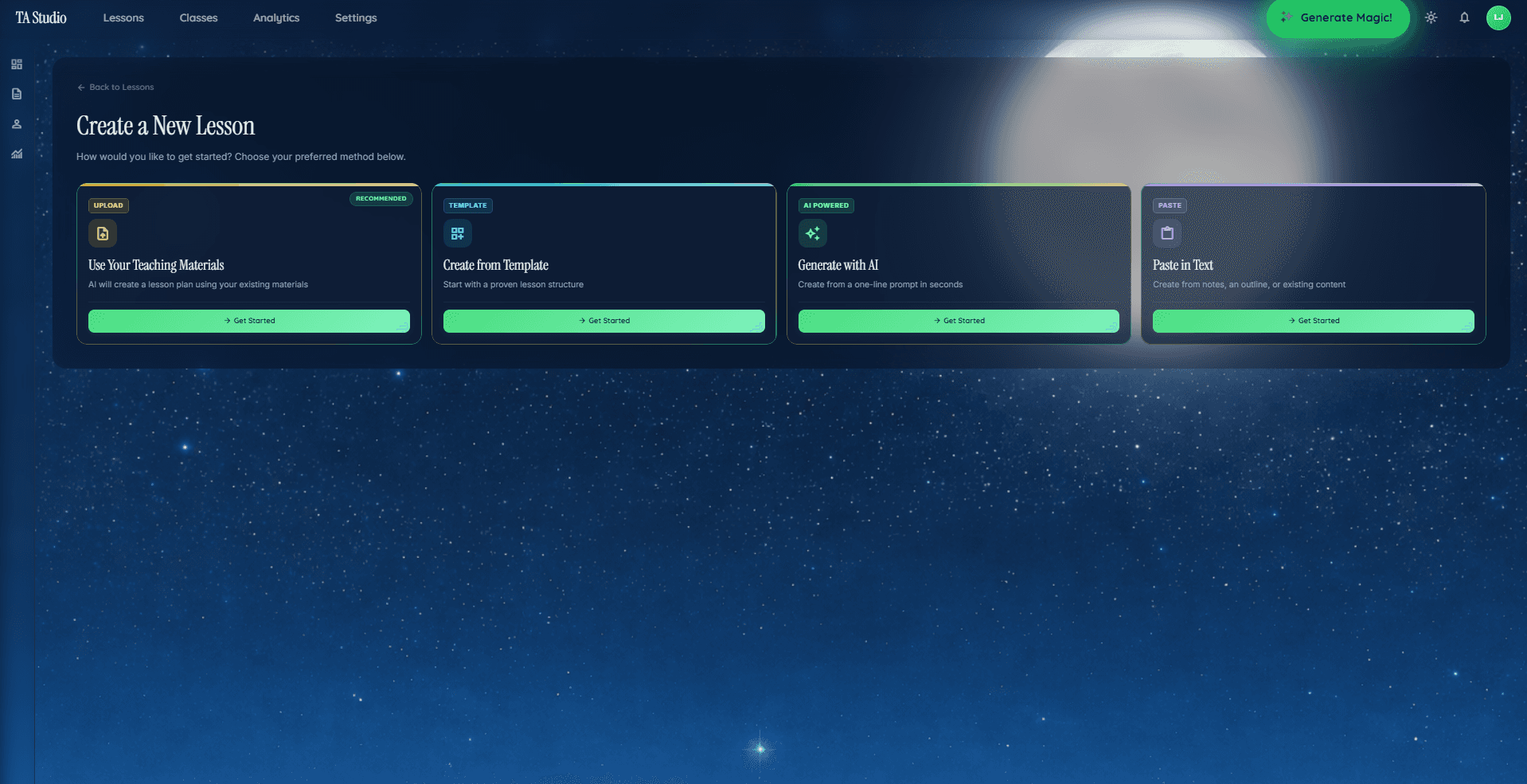
| Creation paths | Individual tool selection | Generate from topic, paste notes, upload PDF, or template |
| Integrations | Google Classroom, Canvas, Schoology, Microsoft (per magicschool.ai) | Direct exports (.pptx, .docx, PDF) |
| Student-facing AI tools | 50+ student tools, AI tutor | Not the core product focus |
| Pricing display | "Free for teachers"; specific tier prices not on homepage | Free / $8.99 / $19.99 / Schools custom |
What MagicSchool is best at
Based on what MagicSchool publishes on their site:
- Breadth. 80+ tools means there is usually a tool for whatever admin or writing task you have in mind — report-card comments, IEP drafts, multi-step assignments, professional emails.
- Student-facing AI. Their 50+ student tools and AI tutor are a genuine differentiator if you want AI tools your students also use with teacher-led safe-settings.
- Integrations. Google Classroom, Canvas, Schoology, ClassLink, Microsoft — useful if your district is standardised on any of those.
- District-scale deployment. Their AI for Schools offering is built around district rollouts with enterprise security.
MagicSchool publishes strong headline statistics on their site (7+ hours saved per week, 88% reach every learner, 95% recommend, 28% improvement in literacy grade-level expectations). These are MagicSchool's own published claims; treat them accordingly.
What TAyumira is best at
- Complete lesson output. One click and you have a slide deck, exit ticket, and a live interactive presenter — not a text description of a lesson, not a separate slide-generator call.
- Named teaching methods. 10 evidence-based methods — retrieval practice, explicit instruction, flipped classroom, cooperative learning, inquiry-based learning, direct instruction, problem-based learning, project-based learning, mastery learning, gamification — applied to the actual lesson structure, not the wrapper.
- Live classroom features. Student quizzes, confusion flags, anonymous questions, and real-time engagement analytics built into the presenter. No second tool to run the lesson.
- Single workflow. You do not need to remember which tool produces which output. Everything is inside one flow: topic → method → lesson → run.
- Four creation paths. Generate from a topic, paste your own notes, upload a PDF, or start from a template.
Which one fits your classroom
The honest decision tree:
Pick MagicSchool if
- You want a broad toolbox of individual AI tools across many admin and teaching tasks.
- You want student-facing AI tools with teacher-led safe settings.
- Your school or district is deploying AI at scale and wants enterprise security features.
- You want deep integrations with Google Classroom, Canvas, Schoology, ClassLink, or similar LMS.
Pick TAyumira if
- You want the complete lesson — slides, assessment, live presenter — out of one workflow, not assembled from separate tools.
- You want to pick a named teaching method and have the plan follow it.
- You want live classroom interactivity (student quizzes, confusion flags) during the lesson itself.
- You prefer direct exports (.pptx, .docx, PDF) over LMS integrations.
- You want fast, short lessons to a teachable output — the product optimises for 4–6 minute generation.
Using both
Plenty of teachers use both. MagicSchool for a specific admin task (IEP draft, rubric, report-card comments, AI tutor for students). TAyumira for the actual classroom lesson. They solve different problems and do not overlap as much as the surface comparison suggests.
Pricing at a glance (as of 2026-04-20)
- MagicSchool: Free tier for teachers. Plus tier at $99.96/year (per magicschool.ai/pricing on 2026-04-20). Enterprise and district pricing is quoted separately.
- TAyumira: Free tier covers the full lesson workflow with usage limits; Starter $8.99/mo for more lessons and storage; Pro $19.99/mo for unlimited lessons and advanced analytics; Schools plan at custom pricing.
FAQ
Is TAyumira a MagicSchool alternative?
For the specific job of generating a complete, teachable lesson — slides plus assessment plus live classroom tools — TAyumira is built around that workflow in a way MagicSchool is not. For a broad toolbox of 80+ individual AI tools across admin and writing tasks, MagicSchool is the broader product. They overlap but have different centres of gravity.
Which has better lesson plans — TAyumira or MagicSchool?
MagicSchool's Lesson Plan Generator outputs a text-format lesson plan. TAyumira outputs a complete lesson: slide deck, assessment, and interactive presenter in one flow, aligned to a named teaching method. If "lesson plan" to you means a document, both work. If it means something you can walk into class and teach from, the workflows are different enough that the answer depends on what you want the output to look like.
Does TAyumira support student-facing AI like MagicSchool?
MagicSchool publishes 50+ student-facing tools with a teacher-led safe-settings system and an AI tutor. TAyumira's current focus is on the teacher workflow — planning, teaching, and running interactive lessons with live student participation through quizzes and confusion flags. Both approaches have merit; which matters depends on whether you want AI tools your students interact with directly.
Which integrates with Google Classroom and Canvas?
MagicSchool publishes integrations with Google Classroom, Canvas, ClassLink, Schoology, and Microsoft. TAyumira focuses on direct exports — interactive presenter, .pptx, .docx, PDF — that drop into any LMS, shared drive, or filesystem. If your workflow hinges on one specific LMS integration, check each product's current integrations page.
Can you use both TAyumira and MagicSchool?
Yes. Some teachers use TAyumira for the actual classroom lesson and MagicSchool (or another tool) for narrower admin tasks like IEP drafting, report-card comments, or rubric generation. They solve different parts of the same working week and do not duplicate each other.
The short answer
If you want a toolbox of 80+ individual AI tools plus student-facing AI, MagicSchool is built for that. If you want a complete, teachable lesson in one workflow with named pedagogical methods and live classroom tools, TAyumira is built for that. Try TAyumira free to see the workflow — Free tier covers the full lesson generation.
Frequently asked questions
- What is the main difference between TAyumira and MagicSchool?
- Both serve teachers, but TAyumira focuses on generating complete, pedagogy-first lessons with interactive student tools in one workflow. MagicSchool offers a broader catalog of smaller, task-specific AI tools. Teachers looking for one deep lesson experience tend to prefer TAyumira; teachers who want a Swiss Army knife of micro-tools tend to prefer MagicSchool.
- Does TAyumira have a free plan like MagicSchool?
- Yes. TAyumira has a Free plan for individual teachers. Paid plans (Starter $8.99/mo, Pro $19.99/mo) unlock unlimited lessons and advanced analytics.
- Can I import my existing lesson materials into TAyumira?
- Yes. Teachers can paste a topic, a curriculum outcome, or upload existing notes; TAyumira restructures them into a lesson plan using the selected teaching method.
- Which teaching methods does TAyumira support?
- TAyumira supports ten research-backed teaching methods including retrieval practice, explicit instruction, flipped classroom, inquiry-based learning, problem-based learning, project-based learning, cooperative learning, mastery learning, gamification, and direct instruction.