How to Cut Lesson Planning Time in Half Without Sacrificing Quality
Practical ways to cut lesson planning time in half without sacrificing quality. Nine teacher-tested shortcuts and one AI workflow.

The UK government's Working Lives of Teachers and Leaders survey (Wave 3) puts average teacher working hours at just over 48 per week, with 44% of teachers saying they still spend too much time on individual lesson planning. Most of that planning time is not the thinking part — it is the typing, the formatting, the resource-hunting, and the rebuilding of things you already built last year. This guide is how to cut lesson planning time in half without cutting quality. Nine shortcuts, one AI workflow, and a short list of things to stop doing immediately.
Where lesson planning time actually goes
Before you can cut it, you have to see it. Most teachers are surprised when they track their planning time for a week. The typical split looks like:
- Thinking and sequencing: 15–25%. This is the part worth doing. This is where the lesson gets good.
- Typing and formatting: 30–40%. Slides, worksheets, exit tickets. This is the biggest cut target.
- Resource hunting: 15–20%. Finding diagrams, sourcing past-paper questions, chasing links that went dead since last year.
- Admin and meetings: 10–20%. Book-keeping, scheme-of-work updates, not planning at all.
- Making it "look nice": 5–10%. Honest audit moment.
The goal is to keep the first chunk and compress the rest.
Nine shortcuts that actually save time
1. Plan in units, not lessons
Planning five lessons as one unit is roughly 40% faster than planning five separate lessons. You decide the arc once, then each individual lesson slots in. If you are still planning lesson by lesson on a Sunday, that is the first thing to change.
2. Build a resource library you actually reuse
Slide masters, worksheet templates, exit ticket templates, retrieval grids. Seven or eight master files, versioned once, reused forever. Most teachers have the files scattered across three drives and rebuild them from scratch every time. An afternoon consolidating them pays back within two weeks.
3. Use AI for the typing, not the thinking
A well-chosen AI lesson planner cuts the typing and formatting time to near zero. You still make the pedagogical calls — which method, which learning objective, which class — but the slide deck, assessment, and exit ticket are produced in minutes. That is the biggest single cut available.
4. Stop making slides pretty for their own sake
Your Year 8 class does not care about the gradient. A clean slide with the right content beats a beautiful slide with generic content every time. Pick a template, use it, move on.
5. Kill the 3:1 resource-hunt rule
If you spend more than 3 minutes looking for a resource, stop. Either make it yourself in 5 minutes or cut it from the lesson. Endless hunting is where evenings disappear.
6. Batch similar lessons across classes
Teaching the same topic to two or three year groups? Build the unit once, then swap the scaffolding level and the examples. Saves re-planning, keeps the core sequence consistent.
7. Ritualise openers and closers
The first five minutes and the last five minutes of every lesson should be the same three or four formats on rotation. Retrieval grid, brain dump, 3-2-1, exit ticket. Students learn the rhythm; you stop re-inventing the structure each time.
8. Say no to optional templates
If your school has an optional detailed planning template, use the shortest version that still covers the learning objective, activities, and assessment. The longer template is not graded.
9. Protect one non-planning evening
Sounds like the opposite of a time-saver, but it is the single most useful rule most teachers adopt. One evening a week, no planning, non-negotiable. It resets the rest of the week.
The AI workflow that cuts a lesson to 5 minutes
This is the workflow most teachers end up on once they have tried a few tools:
- Pick the method and objective in your head. 30 seconds. What do students need to know or do by the end? Which teaching method fits? Retrieval practice for a revision lesson, explicit instruction for a new skill, flipped classroom for a content-heavy unit.
- Generate the lesson in an AI lesson planner. 2–3 minutes. Enter the topic, the year group, and the method. Get back a full sequence — slides, activities, assessment, exit ticket.
- Edit the two things that actually need changing. 1–2 minutes. Tweak an example for your specific class. Swap one question for a harder one if the class is strong. The plan stays coherent.
- Export and go. 30 seconds. Interactive presenter for live teaching, or .pptx / .docx / PDF for the shared drive.
Total: 4–6 minutes per lesson, once you are used to the workflow. You still own the pedagogical decisions — you just stop doing the typing.
What to stop doing this week
Three habits that cost the most time and produce the least value:
- Rewriting yesterday's slide deck because it does not "flow" with today's. The class does not notice the transition. Reuse.
- Hunting for the perfect diagram for ten minutes. A rough sketch on the visualiser in class is faster and often better.
- Planning Sunday evening. Sunday evening planning produces the worst plans of the week and the worst Monday mornings. Shift it to Friday afternoon or early Saturday.
How TAyumira fits into this
TAyumira was built by people who watched teachers spend evenings on the typing part of lesson planning. It produces complete lessons — slides, assessments, and a live interactive presenter — aligned to any of ten evidence-based methods, in 2–5 minutes. You pick the method and objective; the plan is built and editable.
- Ten teaching methods. Retrieval practice, explicit instruction, flipped classroom, cooperative learning, inquiry-based learning, direct instruction, problem-based learning, project-based learning, mastery learning, gamification.
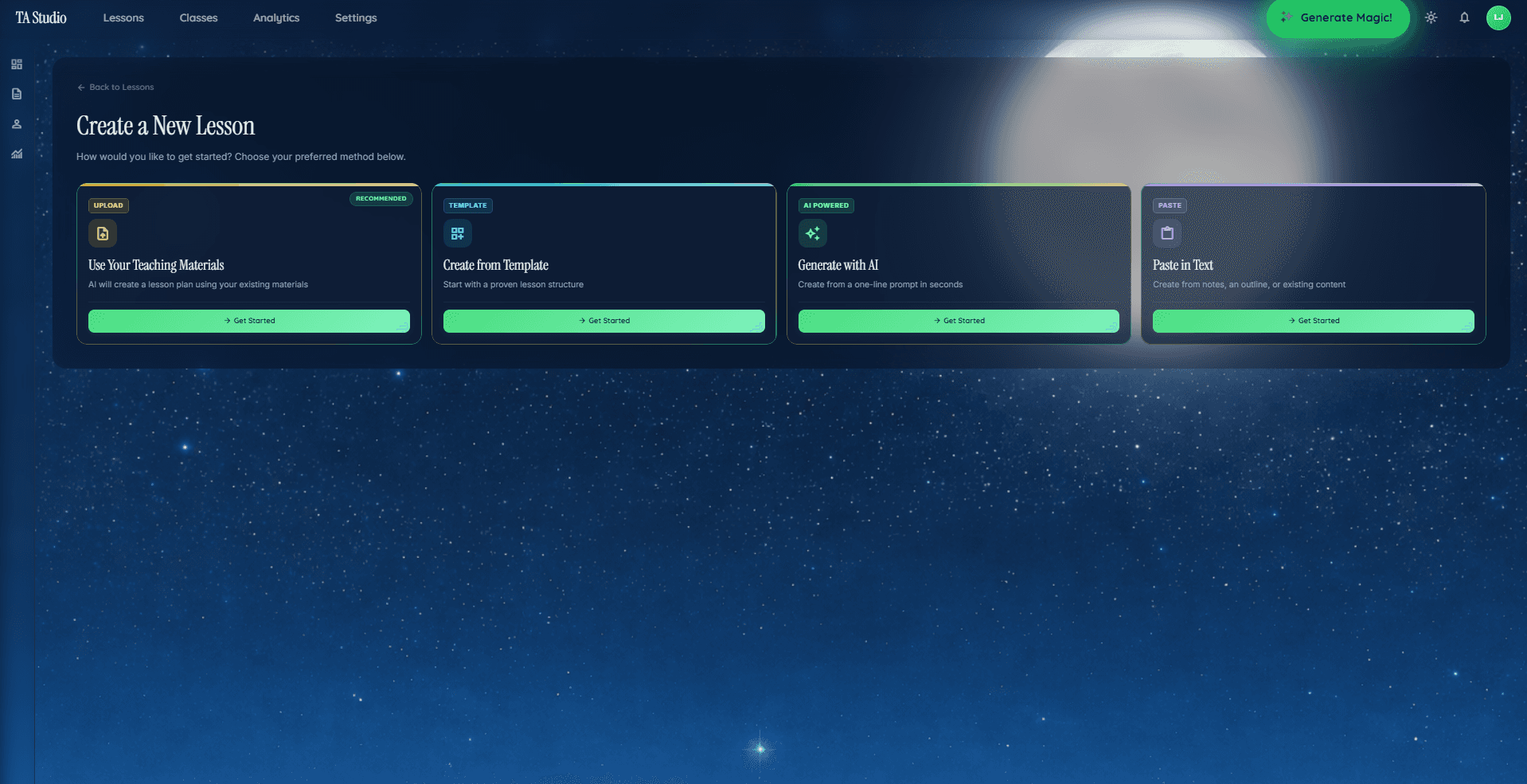
- Four creation paths. Generate from a topic, paste your notes, upload a PDF, or start from a template.
- Live classroom features. Student quizzes, confusion flags, anonymous questions, real-time engagement analytics.
- Exports everywhere. Interactive presenter, .pptx, .docx, PDF.
The Free tier covers the full workflow. Try it free. Pricing on the pricing page.
FAQ
How much time does the average teacher spend on lesson planning?
The UK DfE's Working Lives of Teachers and Leaders Wave 3 puts average total working hours at just over 48 per week, with 44% of teachers reporting they spend too much time on individual lesson planning. The survey does not break out a precise planning-only figure, but departments that share unit plans and reuse resource libraries consistently report lower planning time than those that do not.
Can AI actually cut lesson planning time in half?
It depends on which part of the planning you are measuring. The typing and formatting portion — typesetting slides, building exit tickets, chasing resources — is where dedicated AI lesson planners save most of their reported time, and teachers using TAyumira self-report moving that portion from roughly 30–40 minutes to a few minutes per lesson. AI does not cut the thinking time, and it should not. Independent, peer-reviewed evidence on exact savings for AI lesson planners is still thin, so treat any "50%" claim as a product-led estimate for the formatting step, not a survey-grade finding.
What is the fastest way to plan a lesson?
The fastest reliable workflow we see is: pick the teaching method and learning objective (30 seconds), generate the full lesson in an AI planner (2–3 minutes), edit one or two things that need changing for your specific class (1–2 minutes), export. Around 5 minutes end-to-end for experienced users, based on TAyumira's own usage data rather than an external study. Your mileage will vary with the subject, the year group, and how picky you are about the slide deck.
Does faster lesson planning hurt lesson quality?
Not if the time comes out of the right place. Cutting formatting and resource-hunting time does not touch lesson quality. Cutting the thinking time does. Tools that automate the typing and leave the pedagogy to the teacher tend to improve quality by freeing attention for the decisions that actually matter.
How do you stop planning on Sunday evenings?
Shift the planning window to Friday afternoon or Saturday morning. Combine it with a unit-level plan instead of a lesson-level plan — five lessons at once takes less time than five separate Sundays. Protect one non-planning evening per week. Most teachers who do this find they gain back the rest of the weekend within a month.
Take action this week
Pick one unit to plan at the unit level, not the lesson level. Use the 5-minute AI workflow above for each lesson. Audit your typing-vs-thinking split at the end of the week and adjust. If you want the tool built specifically for the workflow in this guide, start a free TAyumira account.